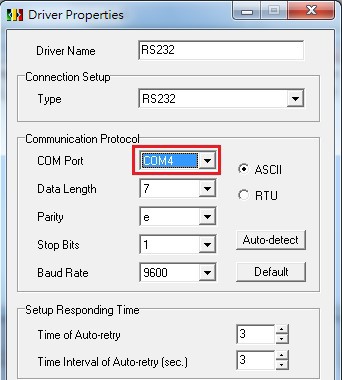
Step 1: Please open COMMGR, and then choose the corresponding COM Port (shown in the red box below)
Step 2: After finishing the setup, please change the status of COM Port from STOP to START

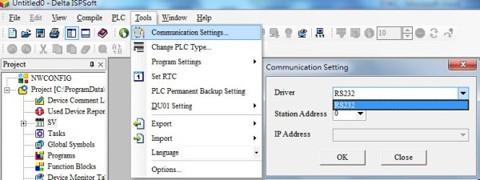
Step 3: Please open ISPSoft and click the Communication Settings in the Tools section. Choose the RS232 COM Port, which we set in step 1 in COMMGR, then click OK.
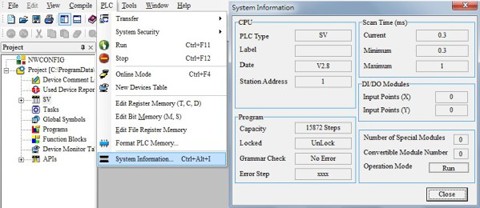
Step 4: Please click the System Information in the PLC menu, if the message box (on the right side in the graphic below) appears, then the connection is successfully built.