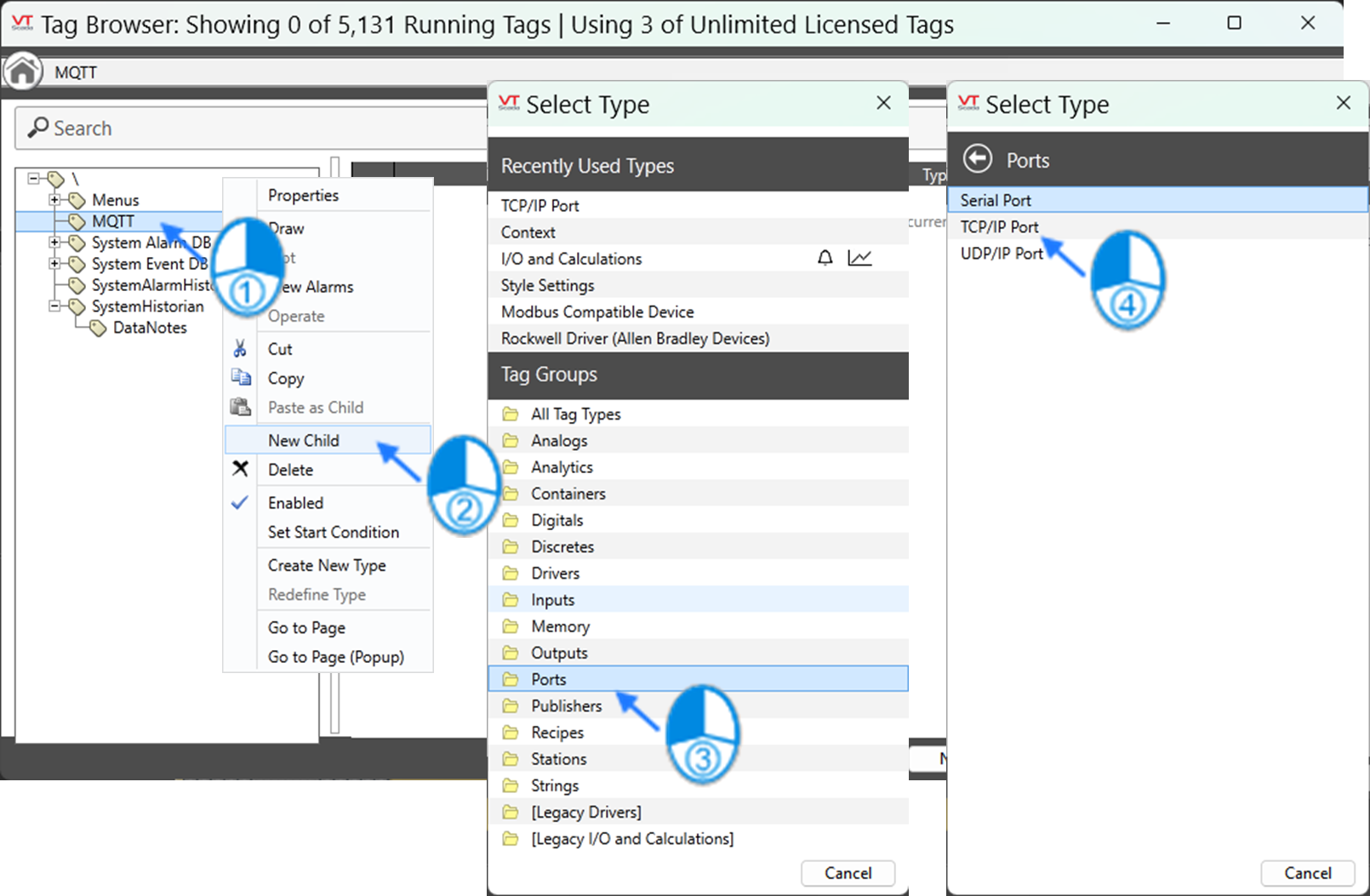
(1) Add a "
TCP/IP Port" tag > configure the Broker IP Address and TCP Port Number.
- Add a "TCP/IP Port" tag.
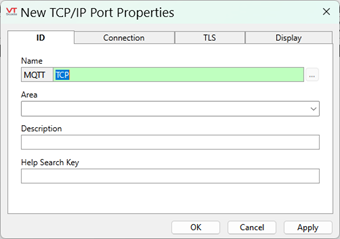
- Enter the "TCP/IP Port" tag name.
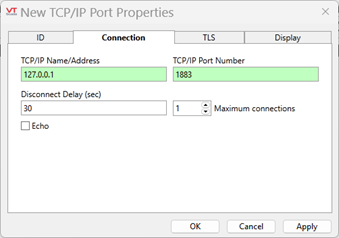
- Configure the Broker IP Address and TCP Port Number.
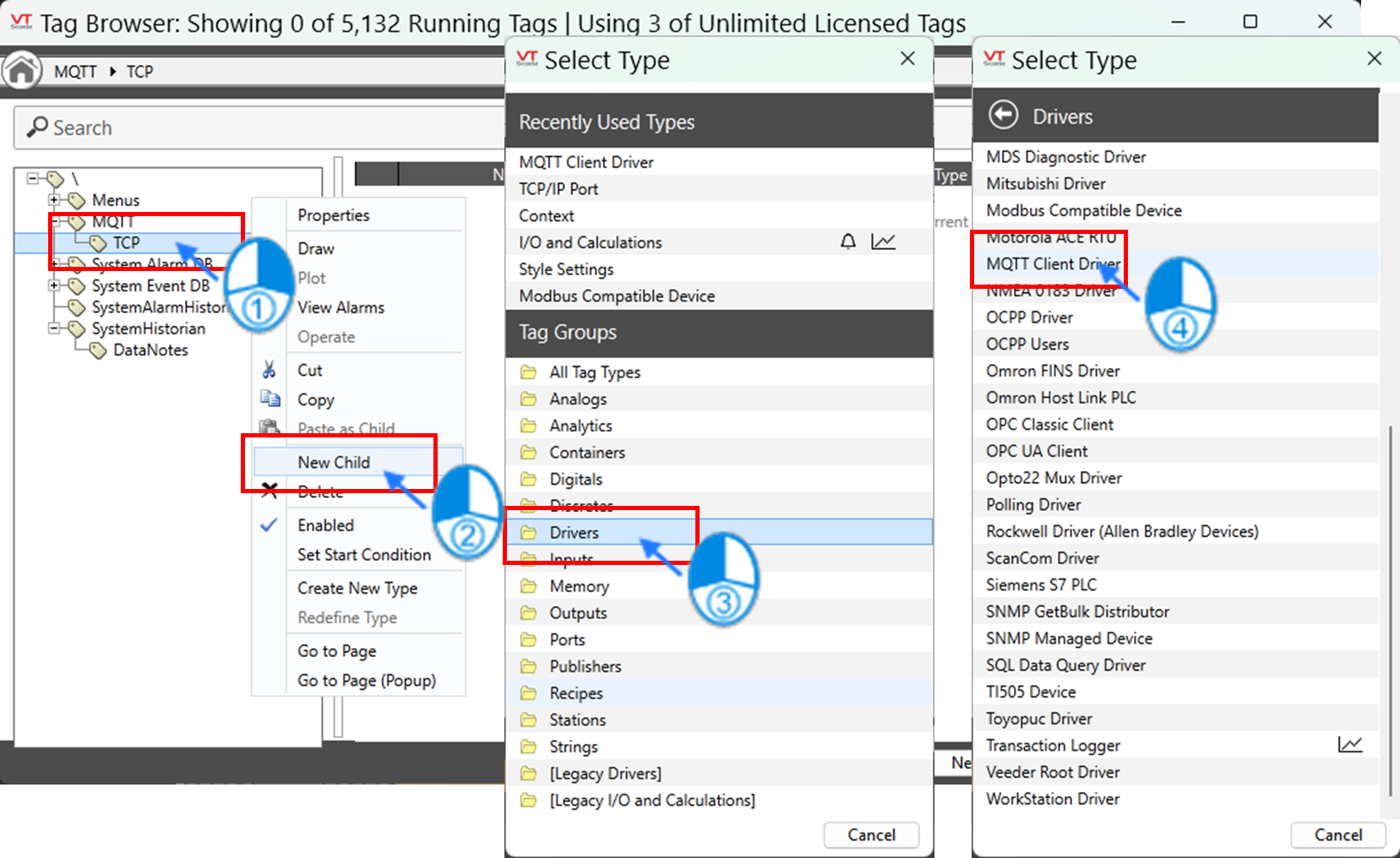
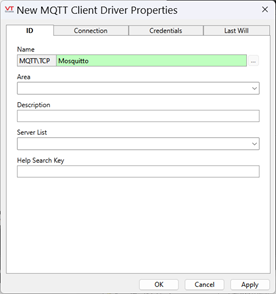
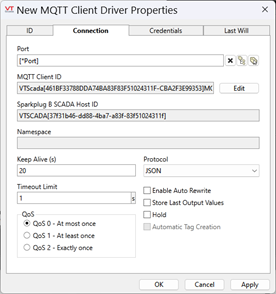
(2) Create a sub-tag under the "
TCP/IP Port" tag > select "
MQTT Client Driver" as the type > configure the MQTT communication parameters.
- Add an "MQTT Client Driver" tag.
- Enter the "MQTT Client Driver" tag name.
- Configure the MQTT communication parameters.
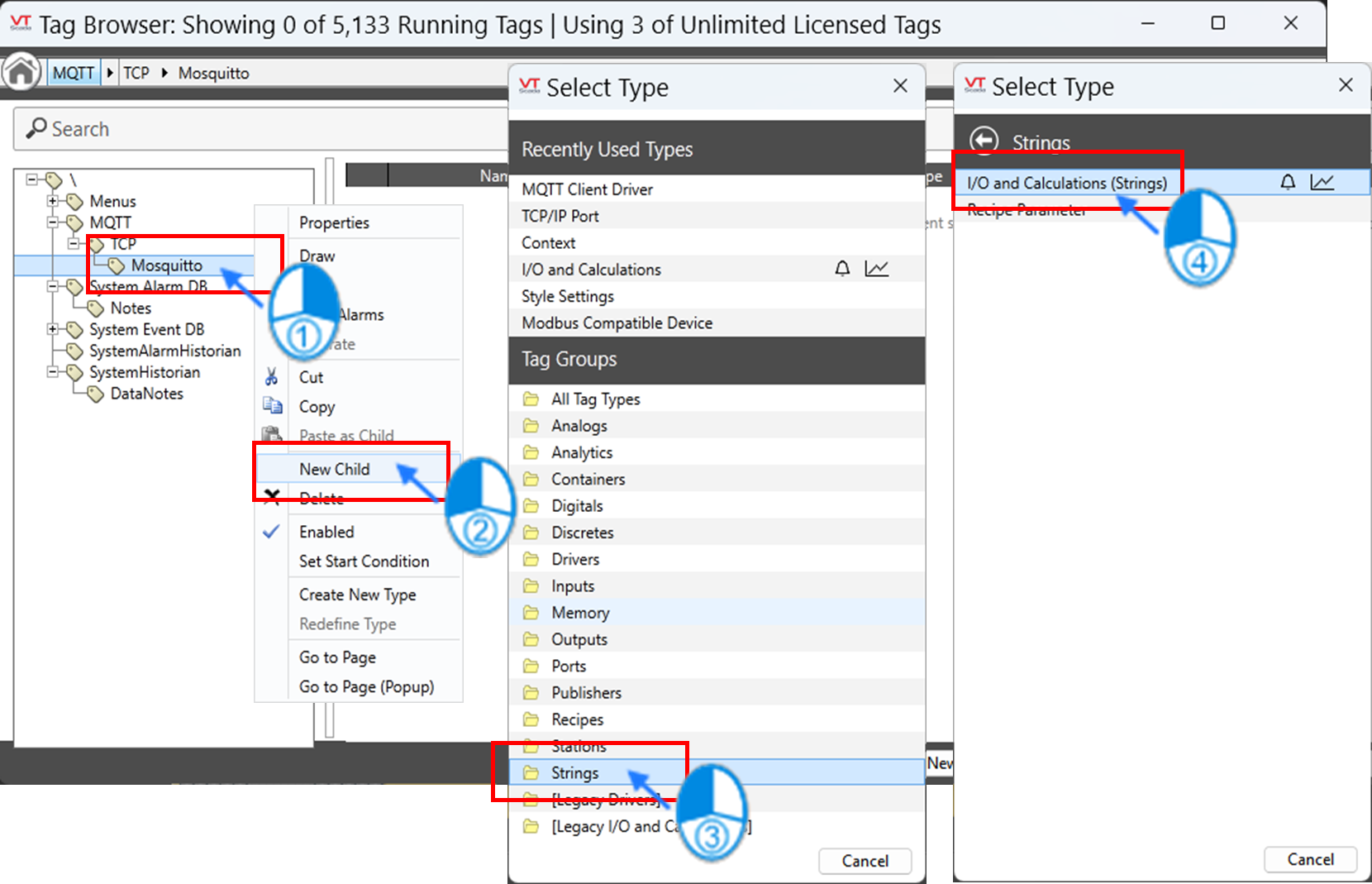
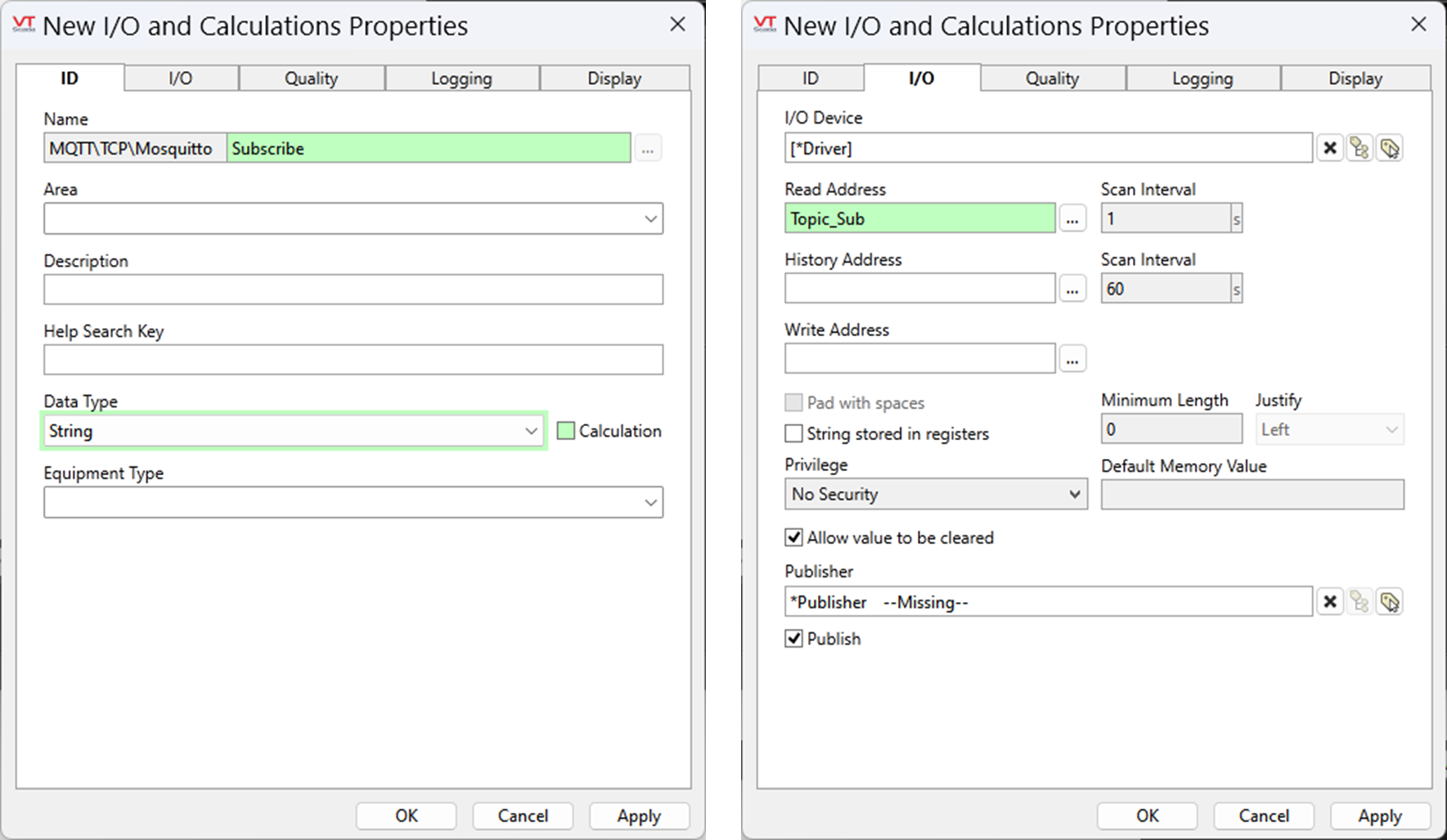
(3) Create a sub-tag under the "
MQTT Client Driver" tag > select "
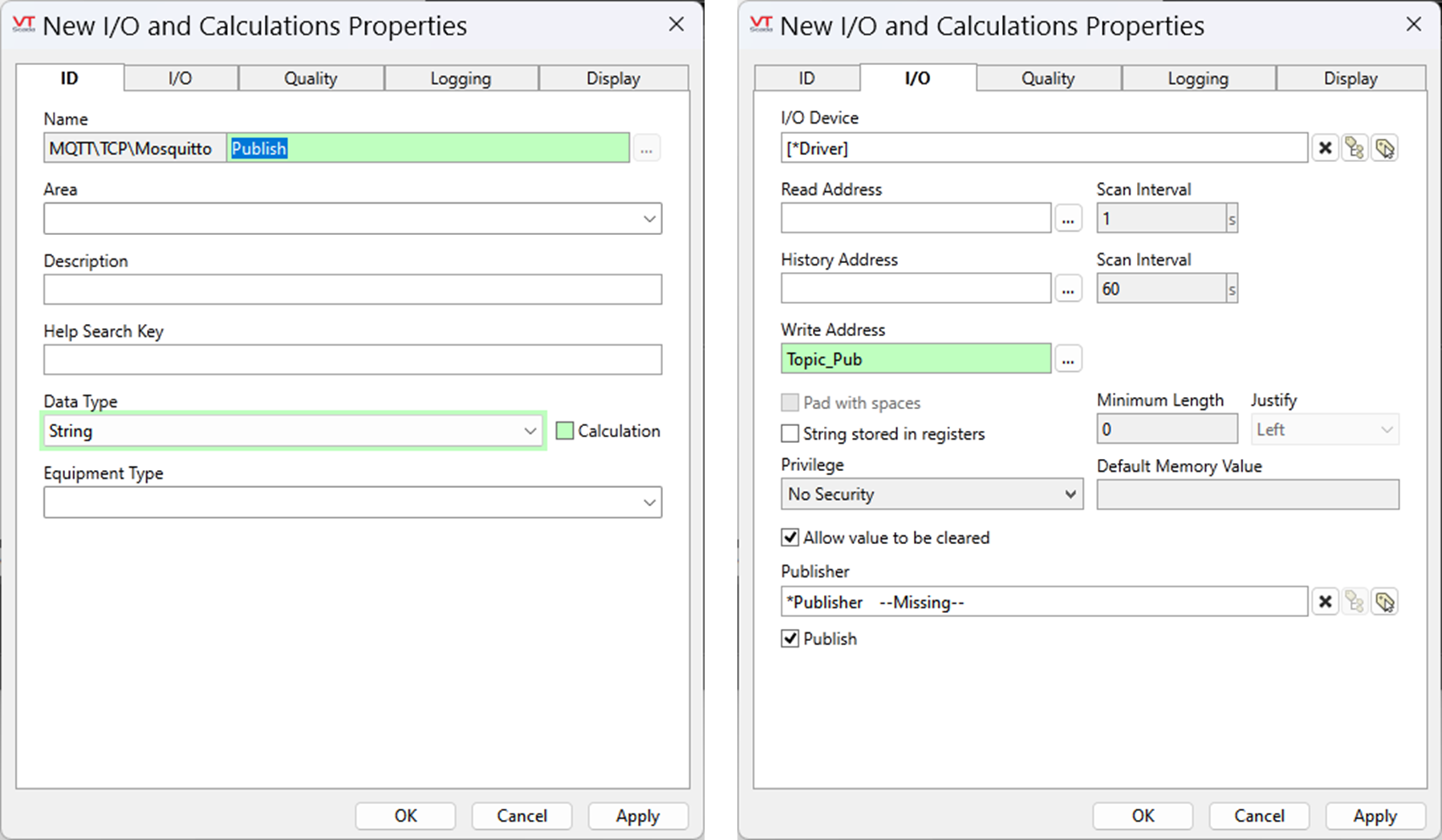
I/O and Calculations" as the type > specify the topic for publishing or subscription.
- Add an "I/O and Calculations" tag.
- Subscribe: Enter the tag name > specify the subscription topic in Read Address.
- Publish: Enter the tag name > specify the publish topic in Write Address.