How can I determine whether foreign objects inside the auxiliary bearing are preventing stable rotor levitation?
The active magnetic bearing driver (AMBD) provides an orbit test function to verify whether foreign objects inside the bearing are preventing stable rotor levitation. Typical applications include: verifying assembly completion during the bearing assembly process or troubleshooting abnormal rotor levitation during machine operation.
Set the driver parameter 05-00=3 for auxiliary bearing status check. The rotor will rotate counterclockwise for two full revolutions along the inner surface of the auxiliary bearing. The resulting motion trajectory can be used to determine whether foreign objects are present. Follow the steps below to perform the orbit test:
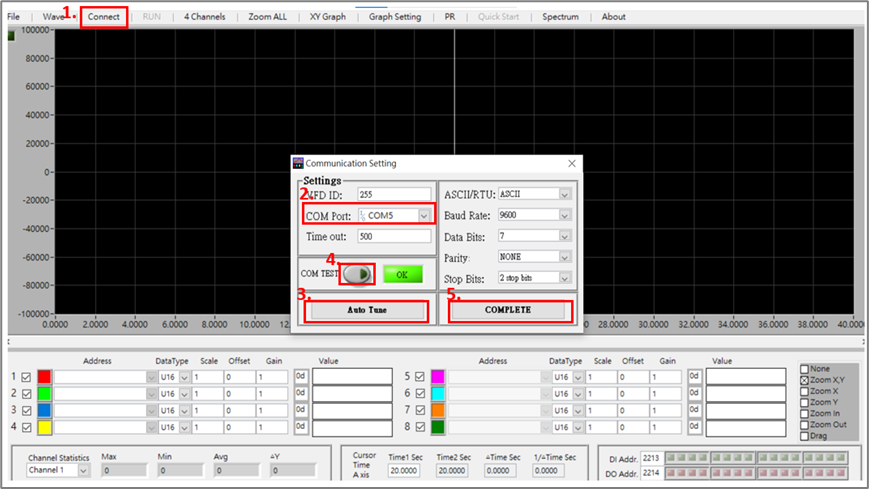
1. Connect to the AMBD using VFD Explorer Lite. Follow the connection procedure shown in Figure 1.
Figure 1. VFD Explorer connection procedure
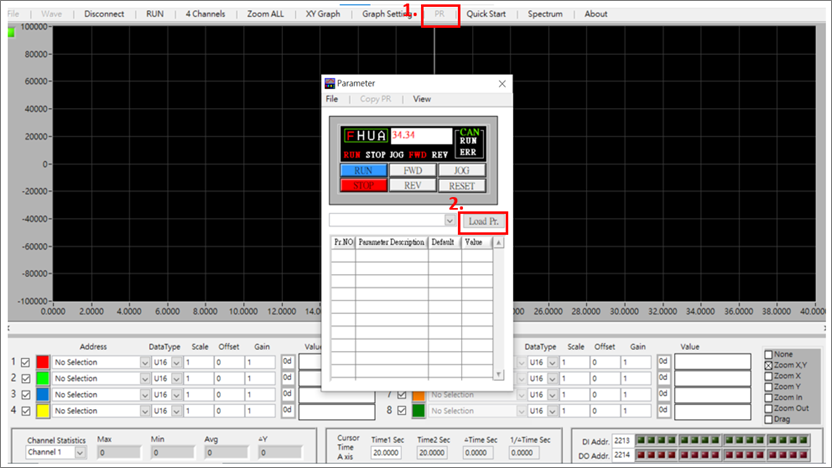
2. Once connected, click PR to open the control panel > Click Load Pr. to read the driver parameters (Figure 2).
Figure 2. Reading internal driver parameters
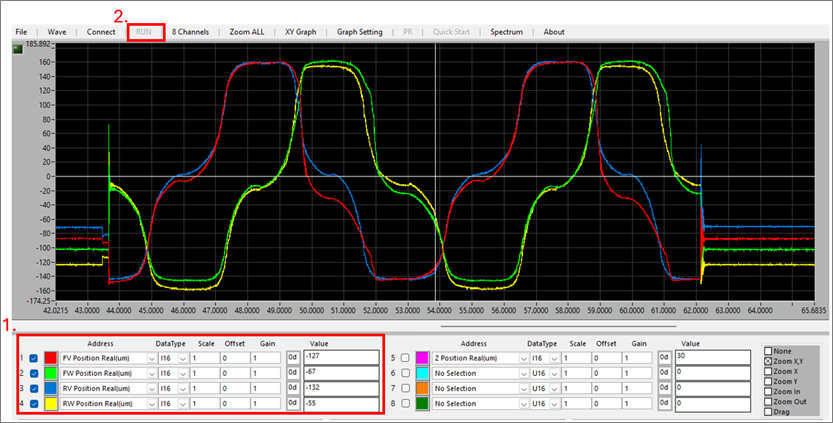
3. Configurethe monitoring channel items as shown in Figure 3 > Click RUN to start monitoring > Open the PR parameter window > Locate 05-00 Calibration and Self-Learning Mode > Enter 3for Auxiliary Bearing Status Check > Click Driver Run. The waveform shown in Figure 3 will be generated and can be used to determine whether interference from foreign objects is present.
Figure 3. Selecting Monitoring Items and Starting Waveform Operation
Keywords: Auxiliary bearing, foreign object interference, orbit test