FAQ
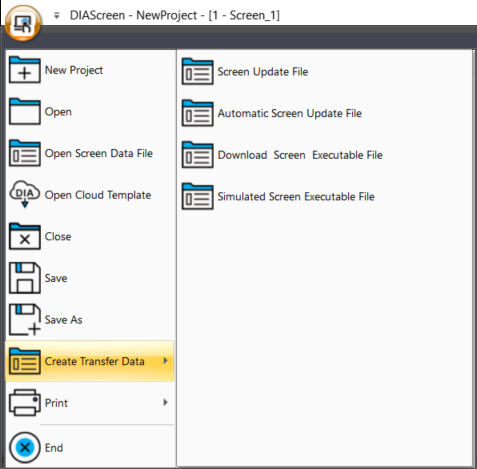
Can I update project status on Delta’s DOP series HMIs without using DIAScreen?Yes. You can click “
Start”, go to “
Create Transfer Data”, then select “
Automatic Screen Update File” or “
Download Screen Executable File”.
- Automatic Screen Update File: The file can be saved on an external device (USB or SD Card). When the HMI detects the device, it will start the update automatically.
- Download Screen Executable File: It generates a standalone installer (.exe). Run the file to update the HMI directly.
Have a question? We'd love to hear from you. Inquiry