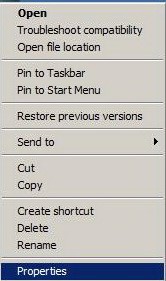
Step 1 On the file name, right mouse click and then click on "Properties"
Step 2 The execution file's "Properties" window appears as shown above.
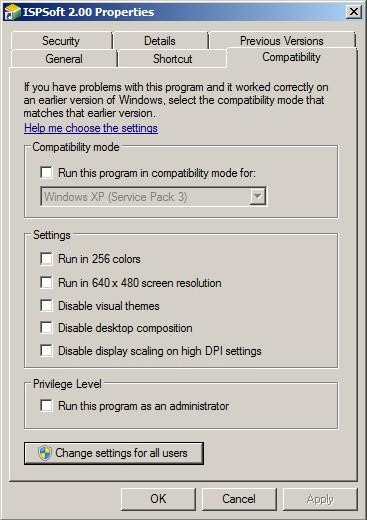
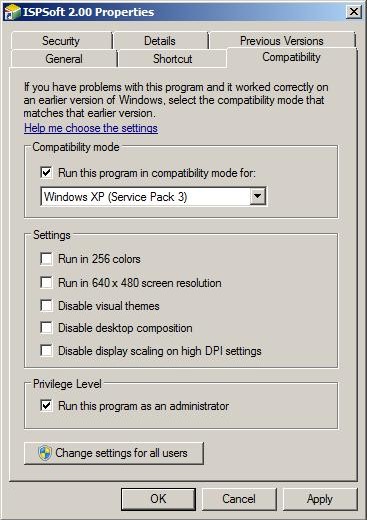
Step 3 Check "Run this program in compatibility mode for" and "Run this program as an administrator"
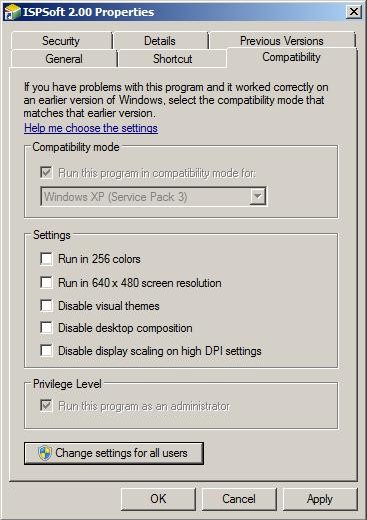
Step 4 Click "Change settings for all users" and the window above appears.
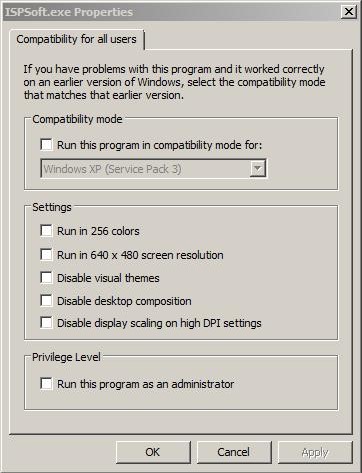
Step 5 Again, check "Run this program in compatibility mode for" and "Run this program as an administrator" and then click "OK".
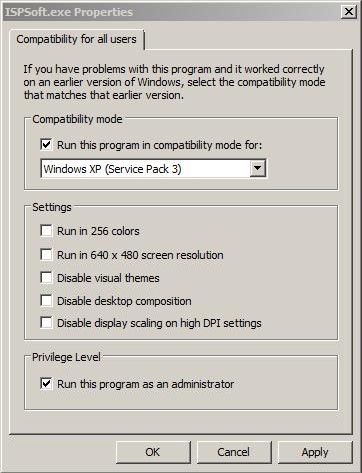
Step 6 Click "OK" to complete the Win7_64 Bit authorization setting.