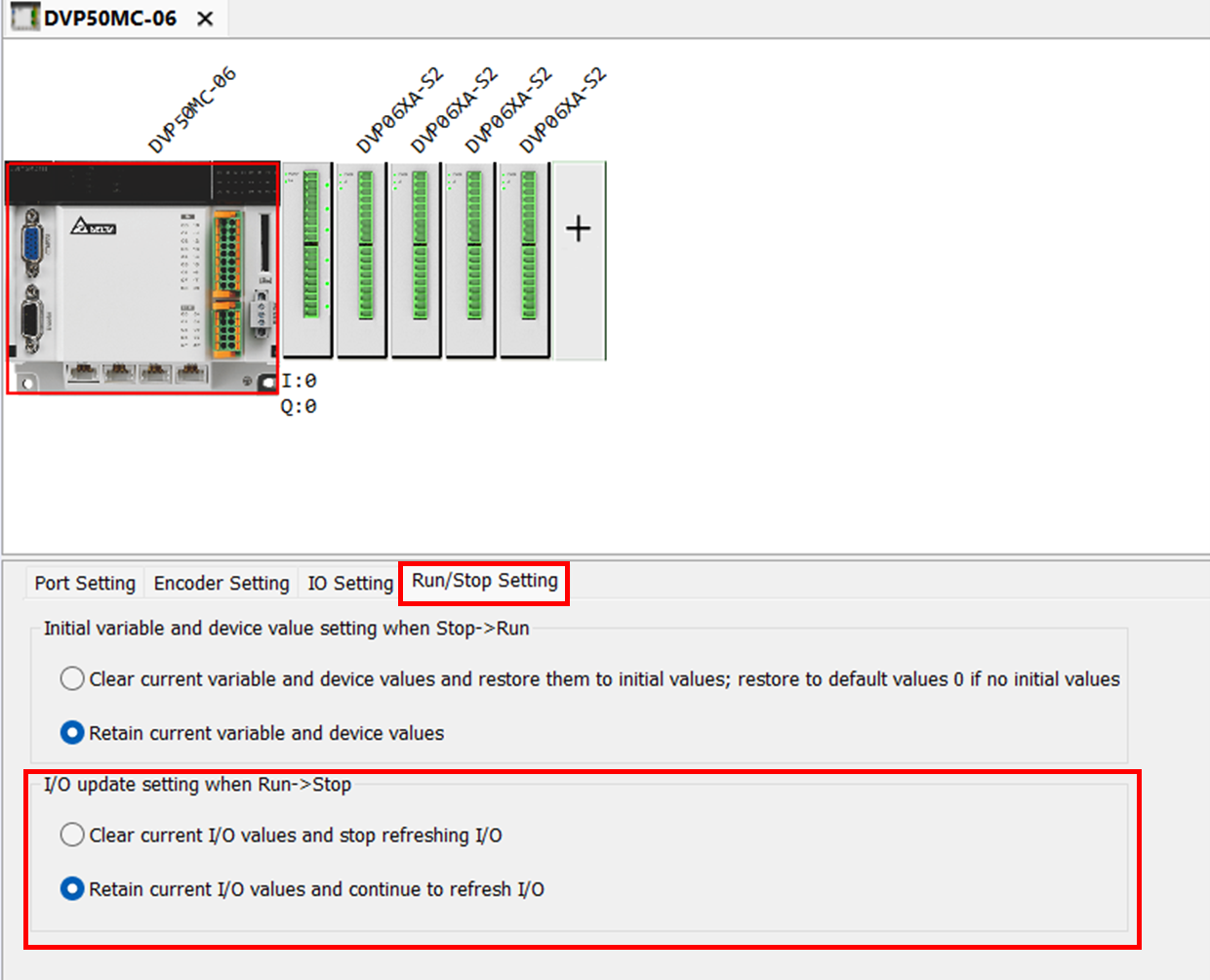
After mapping I/O with a variable, change the variable type in the scope column.
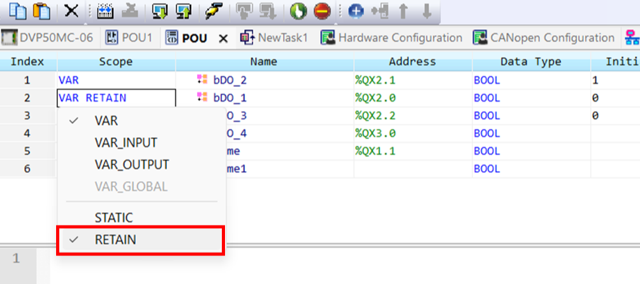
The example above used digital I/O modules with DVP50MC-06. For digital I/O modules, you may create a variable list to set certain pins to retain one; for analog I/O, you may assign the variable on the I/O page.
Once the pin is set as retain type and check the I/O update setting, the I/O status can remain at the latest value between RUN/STOP. However,
the download project phase will initialize each variable, so the controller will not retain the I/O status during downloading.