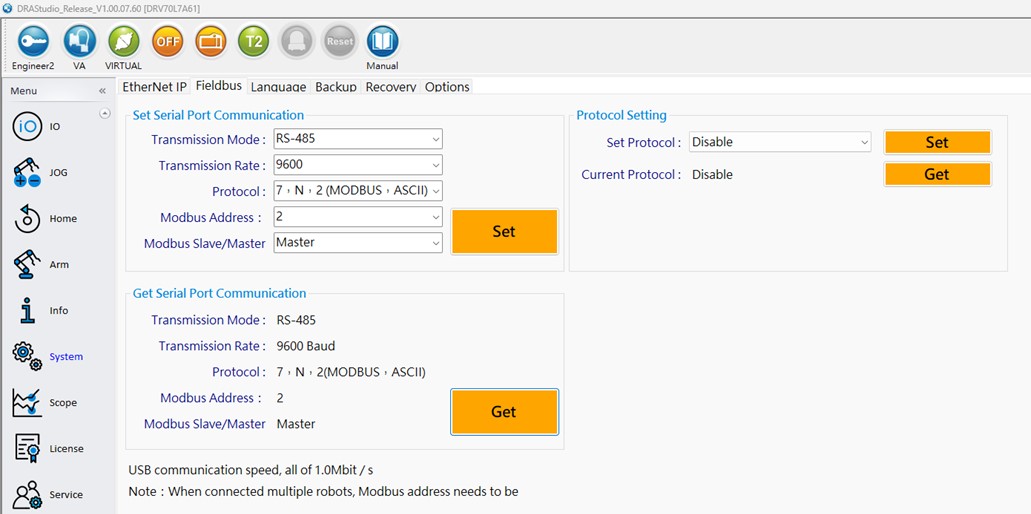
Steps to Set Up the Robot's Modbus TCP Client:
1. Use DRAStudio software to connect to the robot arm.
2. Click Menu > System.
3. Navigate to the Fieldbus tab.
4. In the communication settings section, set Modbus Slave/Master to Master.
5. Click Set to write the communication settings.
6. Click Read to confirm that the communication settings are correct.