In some DVP Series PLCs, the device range is set by default.
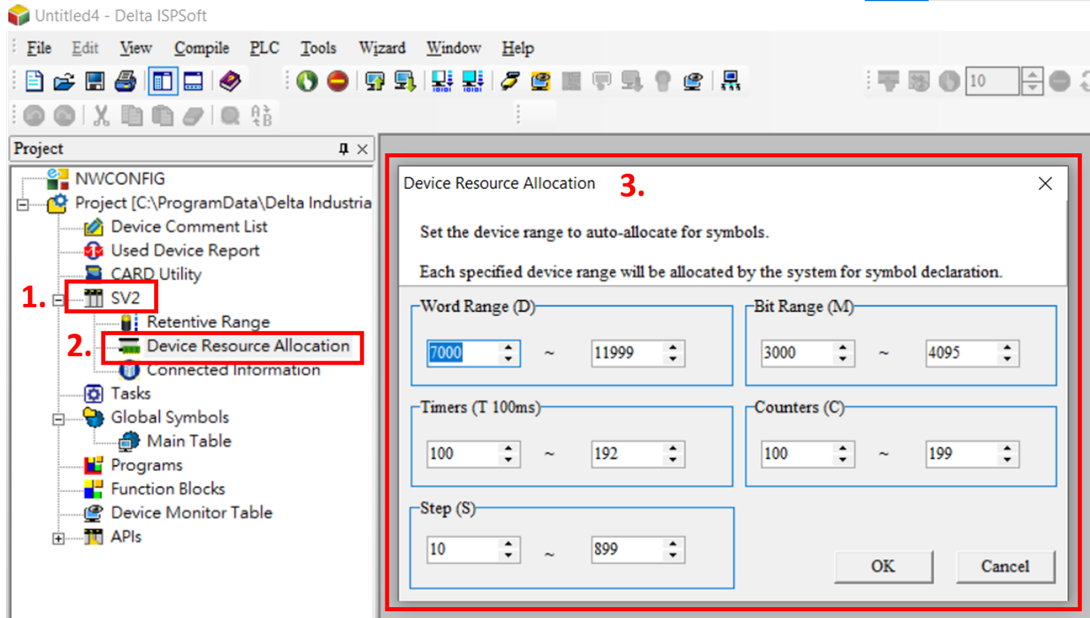
Please complete the “Device Resource Allocation” setting first to avoid the error message.
You can do this by double clicking “Device type” > “Device Resource Allocation” and then setting the device range.