A. Configuring Gmail security settings
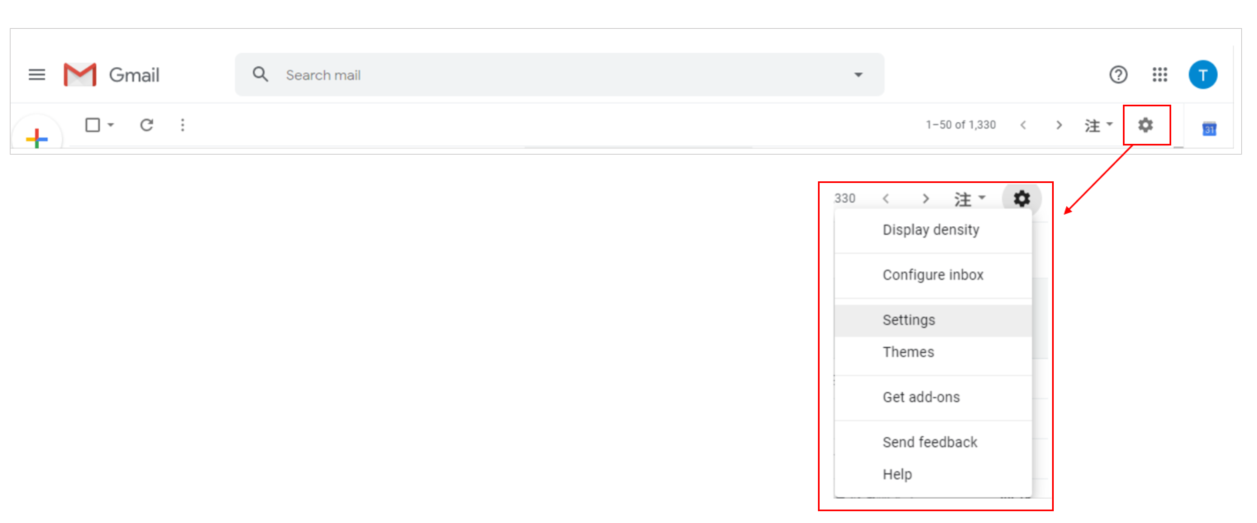
1. Log into Gmail, click on the gear image and select Settings
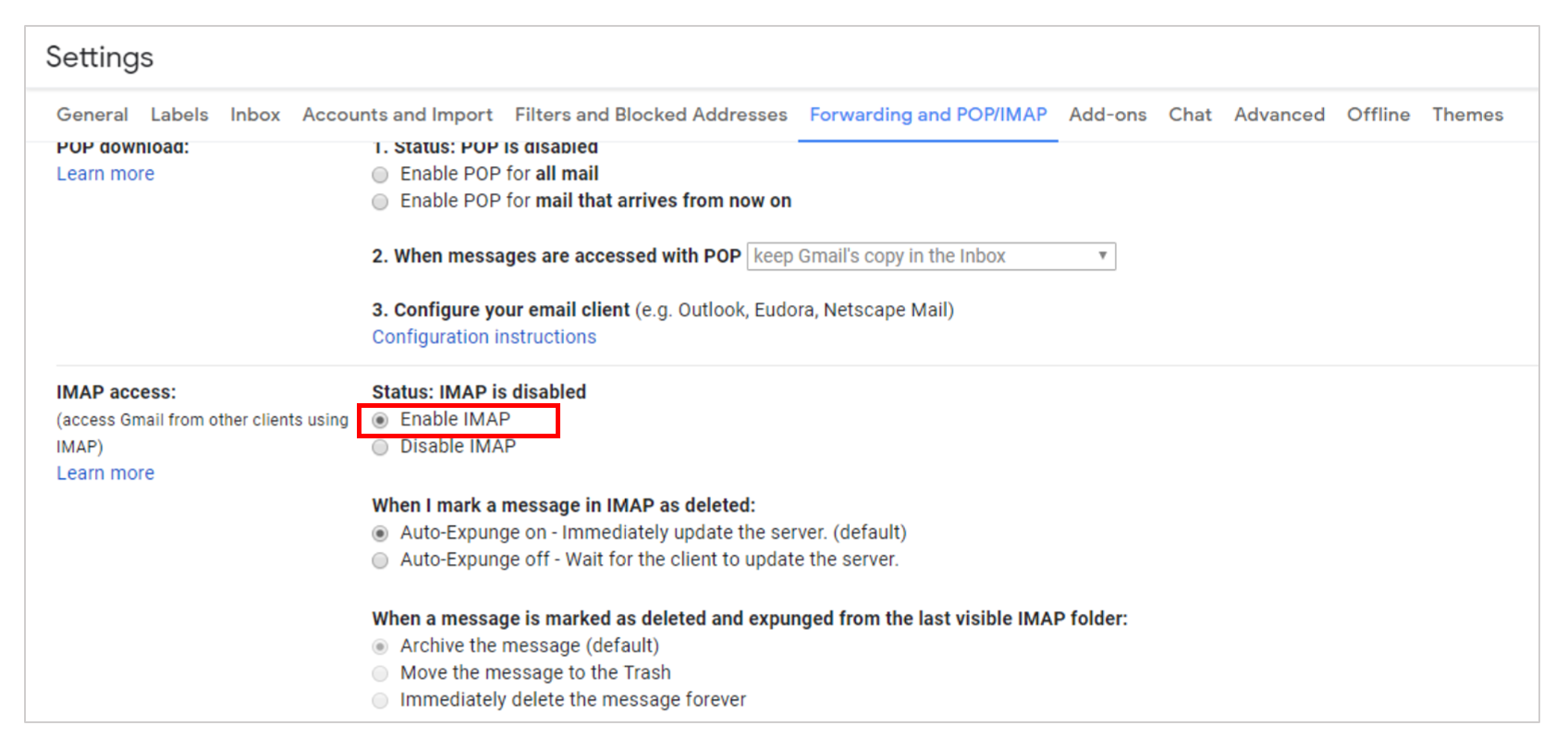
2. Select Forwarding and POP/IMAP > IMAP access > Enable IMAP. Scroll down to the bottom and select Save Changes.
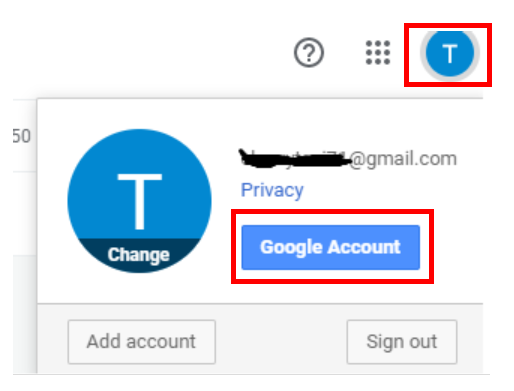
3. Select the account icon on the upper right corner, and select Google Account.
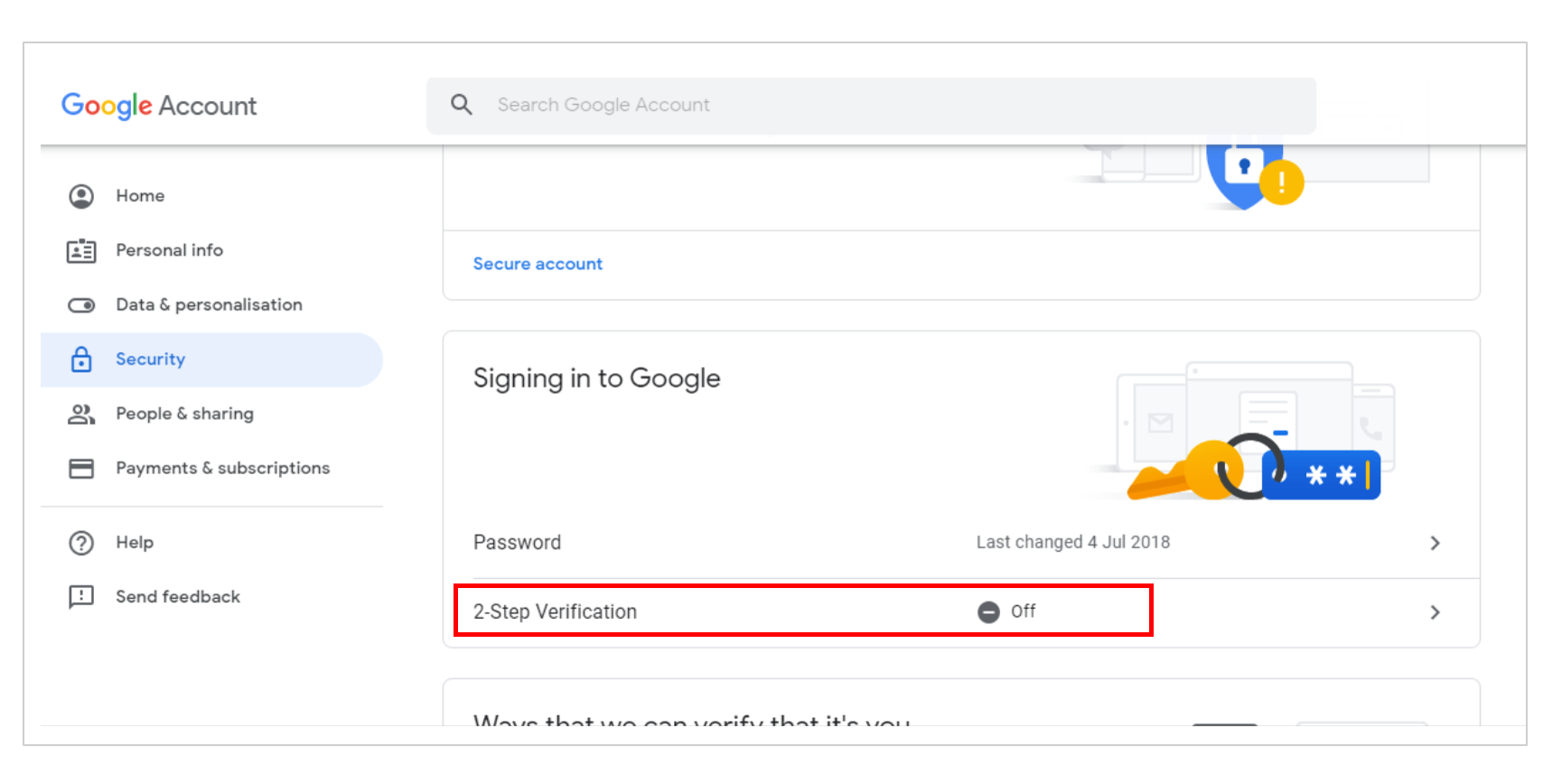
4. Select Security > 2-Step Verification > Off
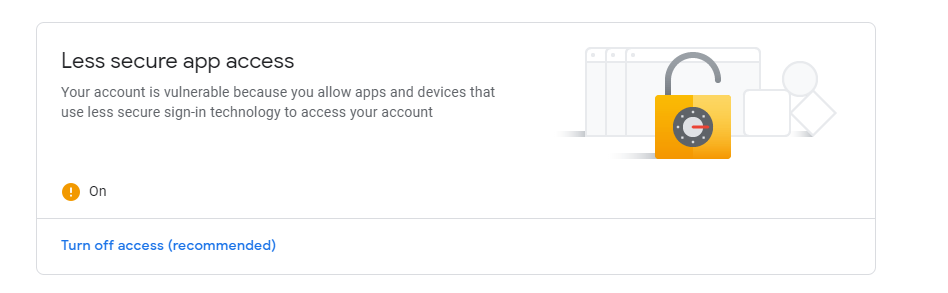
5. Scroll down to Less secure app access > On
B. Configuring DIAEnergie SMTP
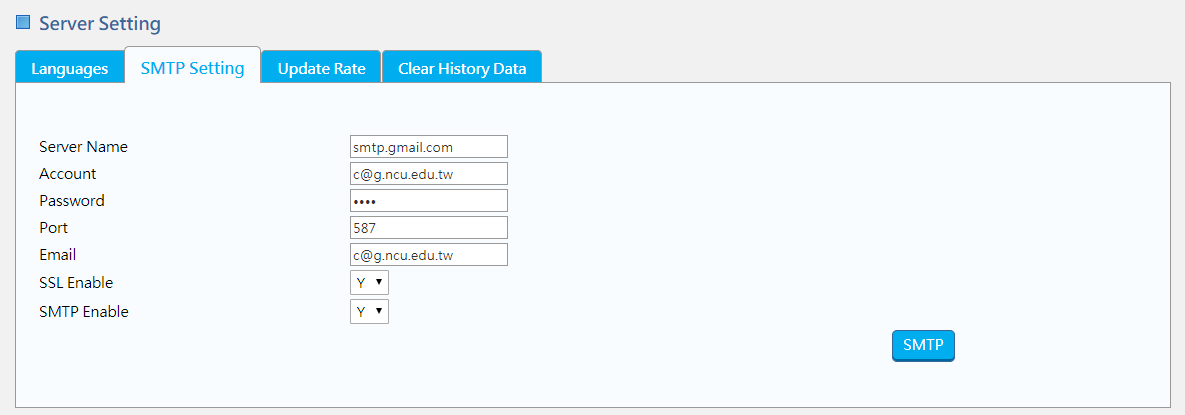
1. Please follow the path for configuration: System Setting > Server Setting > SMTP Setting
Server Name: smtp.gmail.com
Account: google account
Password: google account password
Port: 587
Email: sender
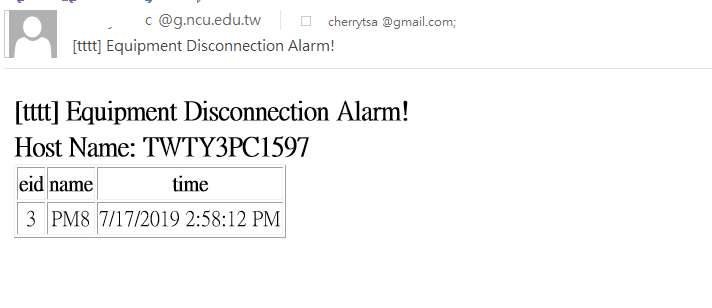
2. Equipment Disconnection Alarm can be sent as follows